

R4L Swing DoorsBeta
Generate single and double swing doors with frames, panels, handles on both sides, and 2D swing symbols.
Open tool page →Beta in progress
Doors brings the same R4L idea to architectural door modeling: generate the boring parts quickly, then keep editing the resulting Rhino objects as usual.

Included tools
Each tool page is structured as a sales presentation first, then a practical usage guide below.
Generate single and double swing doors with frames, panels, handles on both sides, and 2D swing symbols.
Open tool page →
A pivot-door workflow for offset pivots, double-acting behavior, panels, handles, and improved 2D notation.
Open tool page →A future assembly-level door workflow for more complete door systems, panels, frames, hardware, and coordinated outputs.
Open tool page →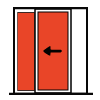
A future door tool for sliding panels, tracks, overlap logic, and architectural 2D notation.
Open tool page →Category workflow
The R4L structure is intentionally simple: use controls to generate the architectural object, preview it inside Rhino, then bake clean geometry into organized layers when it is ready.